Care and maintenance of the earbuds/charging case
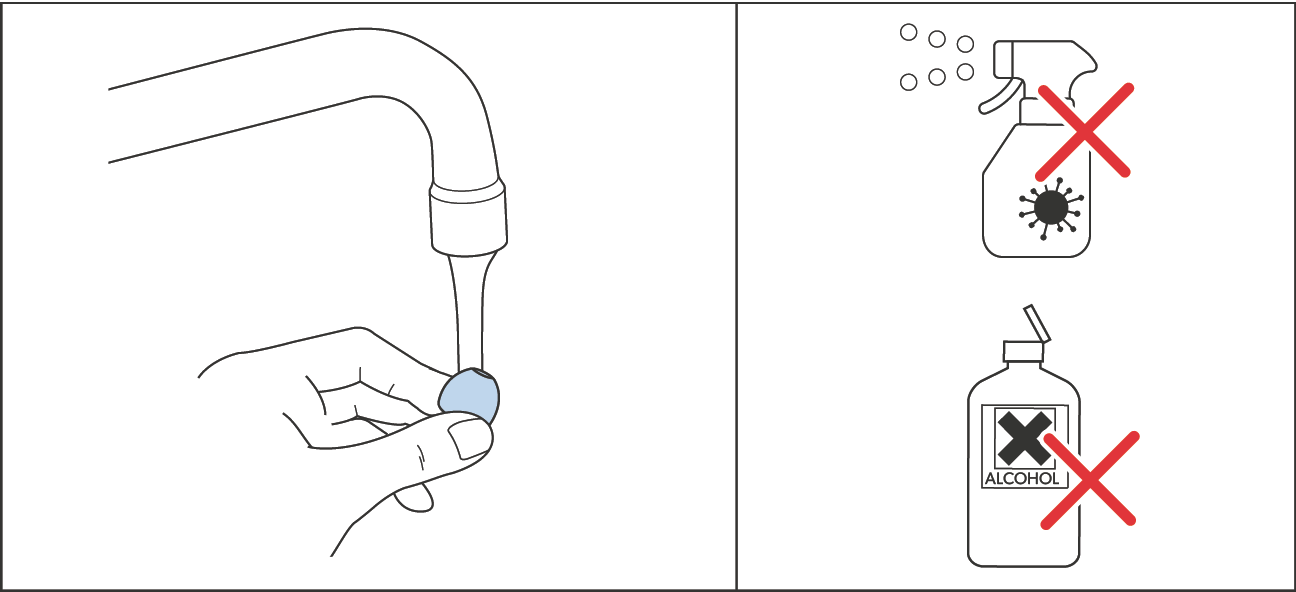
CAUTION Liquids can damage the electronics of the product! Liquids entering the housing of the product can cause a short-circuit and damage the electronics. Keep all liquids far away from the product. Do not use any solvents or cleansing agents. |
Only clean the charging case with a soft, dry cloth.
Clean the earbuds with a slightly damp cloth.
If you notice that the sound quality of the earbuds is deteriorating due to clogging:
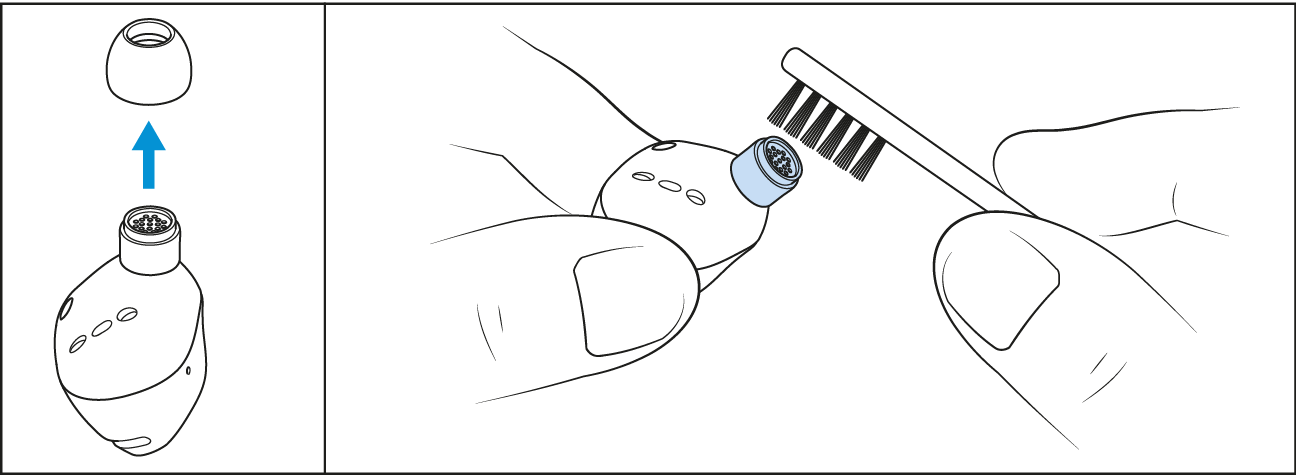
Remove the ear tips from the earbuds’ in-ear sound tunnels.
Using a dry, clean brush (e.g. toothbrush), lightly brush over the in-ear sound tunnel openings to remove any dirt above the protective fabric. Avoid damaging the protective fabric within the in-ear sound tunnels to prevent dirt or debris from entering the electronics.
You can clean the silicone ear tips under lukewarm running water. Allow the ear tips to dry at room temperature for at least 12 hours before re-attaching them to the earbuds.
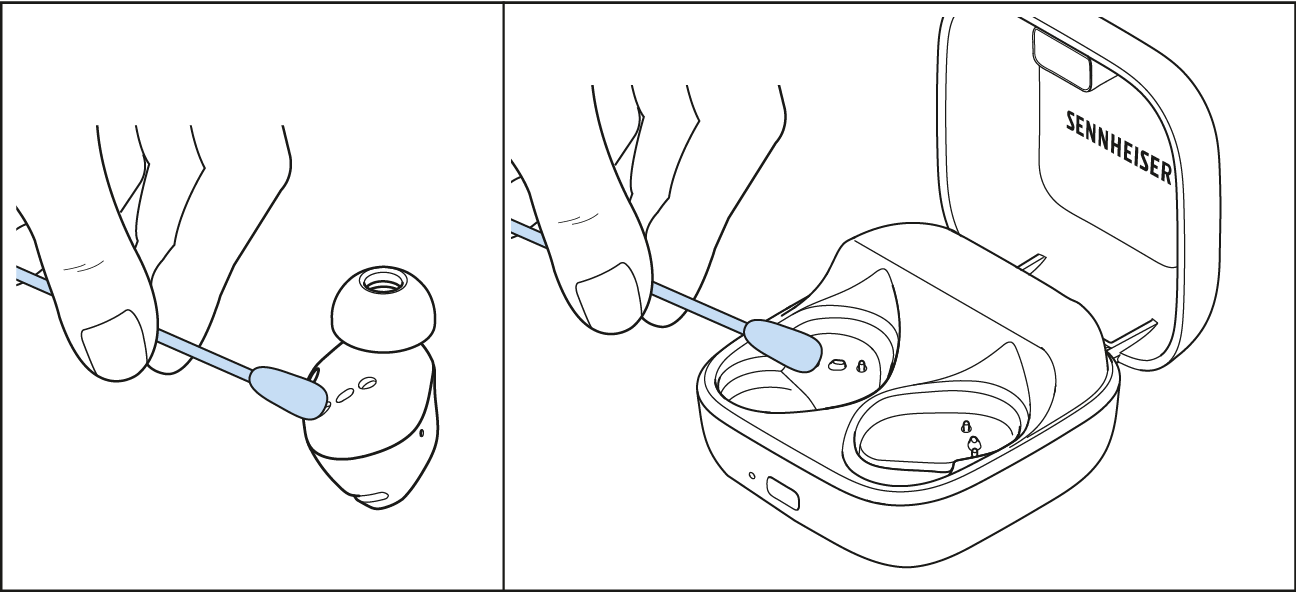
Clean the charging contacts on the earbuds and in the charging case from time to time, e.g. with a cotton swab.
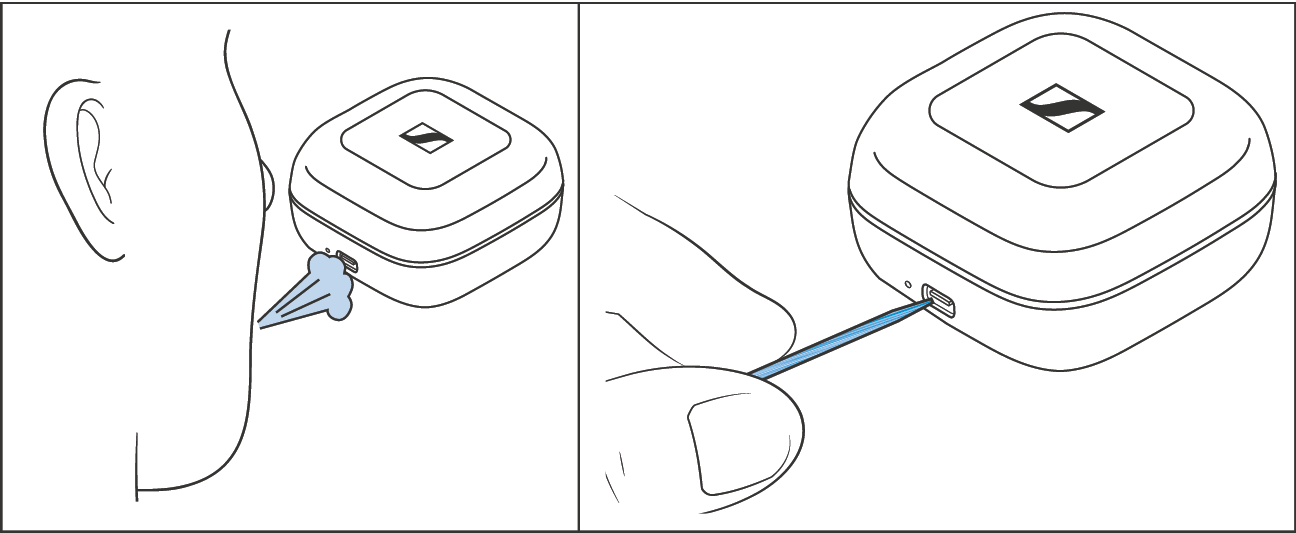
To remove any dirt such as dust accumulation or lint from the USB socket of the charging case:
Blow into the USB socket or carefully brush a fine object (e.g. a toothpick or the bristles of a toothbrush) through the opening of the socket.
If the earbuds have gotten wet:
Remove the ear tips and dry the earbuds and ear tips with a dry cloth. If necessary, allow the earbuds and ear tips to dry at room temperature for approx. 12 hours.